 Nexus Tech Trends • • 1,286 words • 7 min read
Is That Photo Real? Spot AI Fakes with C2PA Content Credentials
Learn how C2PA Content Credentials and invisible watermarks expose AI-generated fakes. A step-by-step guide to verifying any photo or video in seconds.
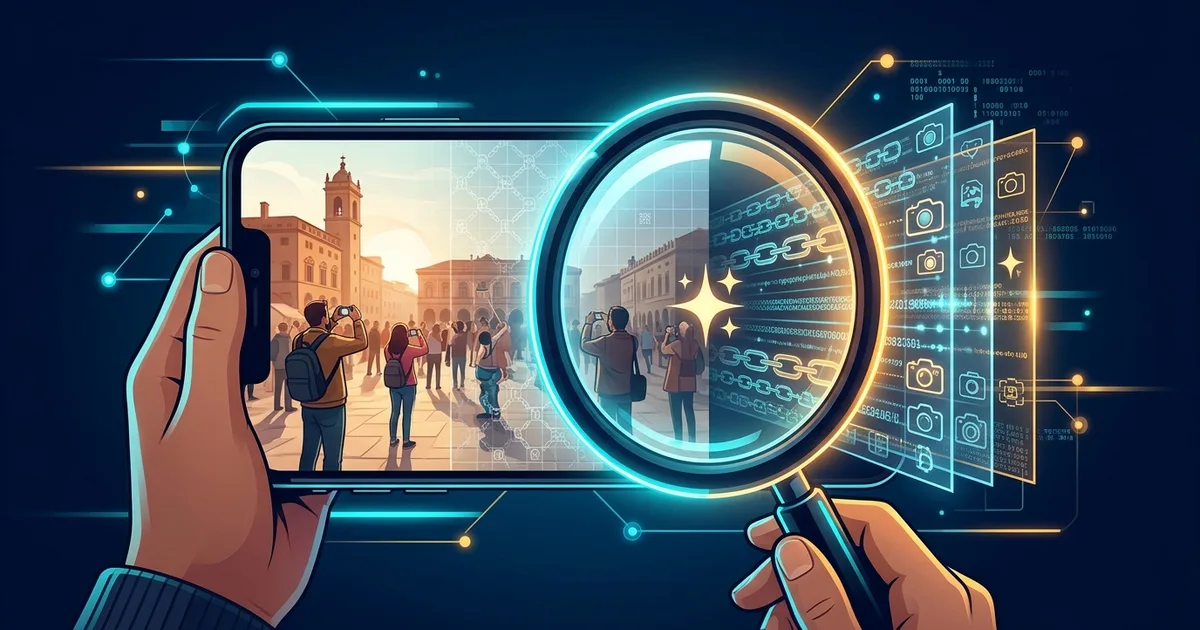
TL;DR (Direct Answer): C2PA Content Credentials are a digital "ingredients label" attached to photos and videos, showing who made them, with what device or AI tool, and how they were edited. Invisible watermarks such as Google's SynthID add a second, hidden mark that can survive screenshots. Neither is perfect alone, but together with a reverse image search they let you check a suspicious image in about a minute. With AI fakes spreading through feeds and family group chats, this is now a basic digital survival skill.
What Is a C2PA Content Credential? Think Food Label
Pick up a packaged snack and you'll find an ingredients list and a sealed lid. If the seal is broken, you know someone opened it. A Content Credential does the same job for a picture.
C2PA stands for the Coalition for Content Provenance and Authenticity. It's a group including Adobe, Google, Microsoft, Sony, and the BBC that wrote an open standard for recording an image's origin. Provenance simply means "where something came from."
Why should you care? Because AI image tools now produce photos that fool almost everyone. A fake picture can travel through WhatsApp groups faster than any fact-check. A label you can actually inspect is your best first defense.
How Content Credentials Work, Step by Step
The signed manifest
- At creation, the camera, phone, or AI tool attaches a manifest, a small record of who made the image, with which device or AI model, and when. It is cryptographically signed, meaning it's sealed with a digital key that only the creator's software holds.
- Every edit adds a layer. Crop it in Photoshop and a new signed entry joins the chain, like stamps in a passport.
- Tampering breaks the seal. If someone changes pixels without re-signing, the signature no longer matches.
The backup plan
- Invisible watermarks such as Google's SynthID hide a pattern inside the pixels themselves. Screenshots that strip the label often leave this pattern intact.
- A verifier checks the signature against a list of trusted certificates, much like your browser checks a bank's padlock icon.
Comparing Your Verification Options
No single tool catches everything. Here's how they stack up:
| Method | What it's great at | Where it falls short |
|---|---|---|
| C2PA Content Credentials | Full history of creation and edits | Easily stripped by screenshots and re-uploads |
| Invisible watermarks (e.g., SynthID) | Survive screenshots and compression | Usually only readable by the maker's own tools |
| "AI detector" websites | Quick and convenient | Unreliable, with many false alarms |
| Reverse image search | Free, fast, finds the original source | Only finds copies already online |
The winning strategy is layering. Each method covers another's blind spot. If you enjoy seeing how systems like this fit together, explore our Interactive Engineering Simulations.
Your 60-Second Verification Routine
- Check the label. Upload the image to contentcredentials.org/verify. If credentials exist, you'll see the creator, tools, and edit history.
- Search for the original. No credentials? Run it through Google Lens or TinEye to find older or earlier versions.
- Check for a watermark. Upload it to Google's Gemini app and ask whether it was made with Google AI. Gemini looks for SynthID, so this only catches Google-made images.
         [Suspicious image]
                 |
     contentcredentials.org/verify
         /                 \
   Signed ✔            No credentials
 (read the history)          |
                  Reverse search + SynthID check
                     /                \
            Watermarked ⚠          Unknown ?
          (AI-made, likely)   (treat with caution)
This flowchart shows the three possible outcomes: Signed, Watermarked, or Unknown.
Bonus: Make your own photos provable
Recent Google Pixel phones (Pixel 10 onward) sign photos in the camera app. Samsung Galaxy S25 models add credentials to AI-edited images. Leica cameras such as the M11-P sign every shot, and Adobe Photoshop and Lightroom can attach credentials on export. Turn these on, and your real photos can prove they're real.
Common Mistakes and Myths
- "No label means it's fake." Wrong. Most genuine photos carry no credentials yet.
- "A label means it's true." Wrong. A signature proves where an image came from, not that the scene is honest. A staged photo can be perfectly signed.
- "AI detectors are 99% accurate." Real-world tests show frequent false positives, sometimes flagging genuine photos as AI.
- "Screenshotting erases every trace." Metadata disappears, but watermarks often survive.
- Forgetting platforms strip data. Most social apps remove metadata on upload, so check the original file whenever you can.
Want to test your instincts? Try experimenting in our AI Playground.
Real-World Story: The Fake Pentagon Explosion
On May 22, 2023, an AI-generated image showing smoke near the Pentagon spread across Twitter. Verified-looking accounts, including one posing as a news outlet, shared it within minutes. The S&P 500 dipped briefly before the Arlington Fire Department confirmed there was no explosion.
The image had no provenance at all. No signature, no watermark, no source. Telltale glitches existed, like a melting fence, but few people looked closely before sharing.
Today, the picture looks different. Major newsrooms are piloting signed photos, so a real breaking-news image could carry a verified label. Platforms like LinkedIn display credentials, and Meta reads C2PA data to apply "AI info" labels. An unsigned, unsourced "breaking" image now stands out as a red flag rather than blending in.
Frequently Asked Questions (FAQ)
Does my phone already add Content Credentials?
Possibly. Google's Pixel 10 series signs photos taken in its camera app by default, and Samsung Galaxy S25 phones add credentials when you use built-in AI editing. Most older phones and iPhones don't sign photos yet. The easiest test is to take a picture, transfer the original file without a messaging app, and upload it to contentcredentials.org/verify. If credentials appear, your device supports the standard.
Can someone forge a C2PA signature?
Forging a valid signature is extremely hard because it relies on the same type of cryptography that secures online banking. The weaker points lie elsewhere. A criminal could steal a signing key, or a bad actor could honestly sign a misleading image with a legitimate tool. That's why verifiers check signatures against trusted certificate lists, and why you should always read who signed an image, not just whether it was signed.
Will WhatsApp or Instagram keep the credentials when I share a photo?
Usually not. WhatsApp compresses images and strips most metadata, so Content Credentials typically vanish. Instagram and Facebook also remove much of the embedded data, though Meta reads C2PA information to display "AI info" labels. To preserve credentials, share the original file by email or cloud link, or send it as a document. Invisible watermarks like SynthID have a better chance of surviving these uploads.
Do Content Credentials invade my privacy by revealing my location?
Not necessarily. The C2PA standard lets the creator choose what to include, and location is optional. Many apps let you leave out GPS data or even your name while still proving the image came from a real camera. Check your camera or Adobe settings before enabling credentials. If you're a journalist or activist, keep identifying details off, since anyone viewing the credentials can read whatever you include.
What should I do when an image has no credentials at all?
Treat it as unknown, not fake. Run a reverse image search with Google Lens or TinEye to find its earliest appearance and original source. Check for a SynthID watermark through Gemini. Look for visual glitches like warped hands, garbled text, or melting objects. Finally, see whether trusted news outlets report the same event. If nothing confirms it, pause before sharing, because one hesitation can stop a fake from spreading.