 Atlas Network Engineer • • 1,528 words • 8 min read
How Devices Know Your Location Without GPS: Wi-Fi Positioning
Ever wondered how your PC knows your exact street without a GPS chip? Discover the hidden architecture of Wi-Fi BSSID triangulation and IP geo-lookup.
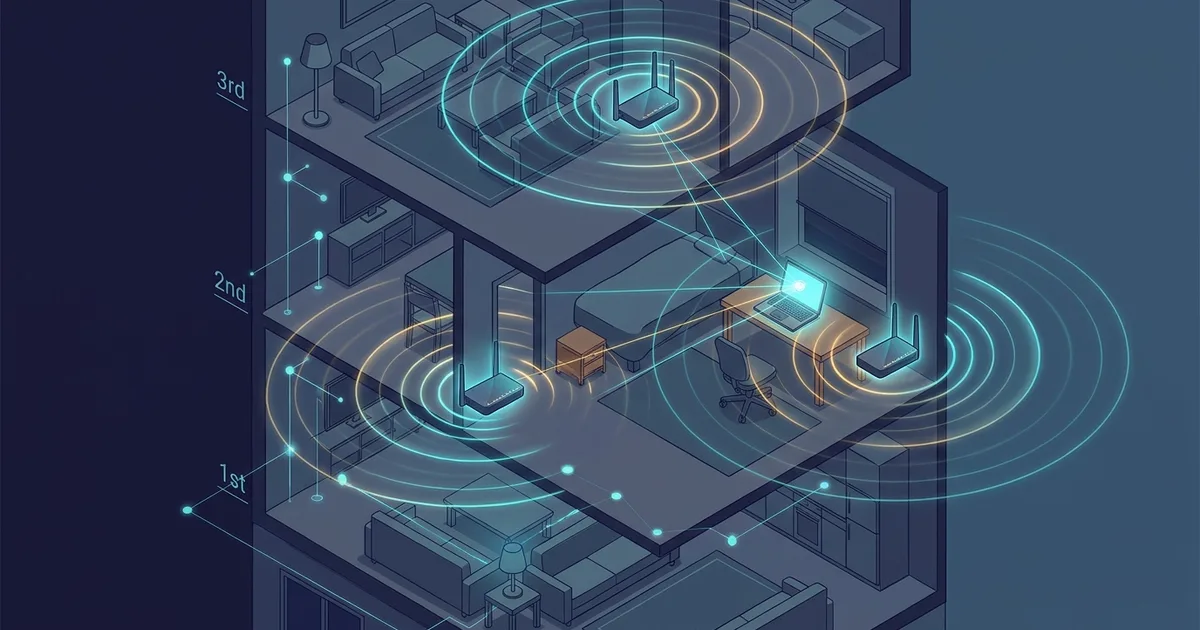
TL;DR (Direct Answer): Devices without GPS pinpoint your exact room by listening to the unique radio fingerprints of nearby Wi-Fi routers, not your IP address. Companies like Google and Apple maintain massive global databases pairing these router hardware addresses (BSSIDs) with real-world physical coordinates. By measuring the signal strength of three or more nearby routers, your device calculates your location indoors in a split second.
The Desktop Mystery: Did Your IP Address Just Dox You?
You sit down at a custom-built desktop PC or Mac Mini. It has no GPS antenna, no SIM card, and no cellular chip. Yet, when you open Google Maps and click the crosshairs button, a blue pin drops squarely onto your living room roof.
The immediate reaction is panic: did your internet connection just expose your physical front door?
The short answer is no. Your IP address—the numerical label given to your connection by your provider—is terrible at fine-grained location tracking. It usually points to a routing station, telecom hub, or data center three to twenty miles away.
Something else inside your room gave you away. Even if you plugged your computer into the wall with an Ethernet cable, an idle Wi-Fi card inside your machine silently listened to the airwaves.
The Two-Tier Architecture: IP Rough Cuts vs. Wi-Fi Precision
Modern positioning works like finding someone in a foreign country. You first look up their home city on an atlas, and then you ask a local courier to find their specific street corner.
+-------------------------------------------------------------------+
| Tier 1: IP Geolocation                                           |
| Identifies your general metro area, ISP hub, or postal code.      |
| Typical Accuracy: 5 to 50 km                                      |
+-------------------------------------------------------------------+
                                 │
                                 ▼
+-------------------------------------------------------------------+
| Tier 2: Wi-Fi Positioning System (WPS)                            |
| Scans nearby ambient BSSIDs and trilaterates radio signal drop.   |
| Typical Accuracy: 5 to 15 meters                                  |
+-------------------------------------------------------------------+
Your device relies on this two-tier system:
- IP Geolocation (The Rough Cut): When a webpage loads, the server checks your public IP against commercial databases. This narrows down your location to a country, a metropolitan area, or an Internet Service Provider (ISP) exchange.
- Wi-Fi Positioning System (The Precision Lock): To drop a pin on your actual house, your operating system turns to the Wi-Fi Positioning System (WPS).
Every Wi-Fi router broadcasts a periodic radio message called a beacon frame. This frame contains a Basic Service Set Identifier (BSSID), which is the unique hardware MAC address of that specific router.
Your device collects the BSSIDs of every router in your apartment hallway—including your neighbors' locked networks. It then sends this list to an online location lookup service. If you want to explore how these signals behave visually, check out our Interactive Engineering Simulations.
Geolocation Battlecard: How Location Tech Compares
Different location technologies make distinct trade-offs between speed, indoor visibility, and battery consumption:
| Technology | Typical Accuracy | Time to First Fix | Indoor Reliability | Battery Impact | Primary Data Source |
|---|---|---|---|---|---|
| GPS / GNSS | 3 – 10 meters | 15 – 45 seconds | Very Poor (needs open sky) | High | Orbiting atomic satellite clocks |
| Wi-Fi Positioning | 5 – 15 meters | Under 1 second | Excellent (dense areas) | Very Low | Ambient router BSSID fingerprints |
| Cell Tower Triangulation | 200 – 1,000 meters | 1 – 3 seconds | Moderate | Low | Cellular base station tower IDs |
| IP Geolocation | 5 – 50 kilometers | Instantaneous | Universal | Zero (handled by server) | ISP routing registry records |
GPS remains the gold standard for hiking trails and open highways. However, satellite microwave signals cannot easily penetrate concrete walls, metal framing, or underground subway platforms. In the heart of an office building or high-rise apartment, Wi-Fi positioning is vastly superior.
Under the Hood: Signal Trilateration with RSSI
How does a list of router MAC addresses translate into your exact chair position? The answer is trilateration combined with signal decay physics.
Think of each router like a person speaking in a dark room. You might not see them, but by listening to how loud their voice sounds, you can estimate how many feet away they are standing.
In wireless networking, this volume is measured as the Received Signal Strength Indicator (RSSI), expressed in negative decibel-milliwatts (dBm). A reading of -40 dBm means you are sitting right next to the router, while -85 dBm means the signal is faint and far away.
       [ Router A ] (Known: 41.0128, 28.9741)
            \   RSSI: -48 dBm (Strong / Close)
             \
              [ Your Device ] (Calculated Lat/Long)
             /              \
            /                \ RSSI: -84 dBm (Faint / Far)
 RSSI: -65 dBm (Medium)       \
         /                     [ Router C ] (Known: 41.0142, 28.9765)
 [ Router B ] (Known: 41.0104, 28.9723)
The diagram illustrates how a device measures signal loss (RSSI) against three fixed routers to intersect its exact position on a 2D plane.
Your computer reports these BSSIDs and their signal levels back to Google, Apple, or Microsoft. The location server checks its global catalog, sees where those routers are anchored, draws intersecting radius rings, and calculates your precise coordinates. We cover similar network packet behaviors inside the AI Playground.
Myths and Gotchas: Background Scanning and IP Limits
A common myth is that you must be actively logged into a Wi-Fi network for it to track you.
In reality, your Wi-Fi card does not need a password, nor does it need to connect to your neighbor's router. It simply acts as a passive radio receiver. It overhears the public beacon frames that routers scream into the air dozens of times per second.
Another misconception is that your home IP address directly exposes your street name. Websites that claim "We know where you live!" based purely on an IP check are bluffing; they are guessing your location using regional ISP data blocks.
If a browser ever shows your genuine street address, it explicitly asked your operating system for access via the browser Geolocation API. Once approved, it used nearby Wi-Fi beacons to narrow down your position.
The Moving Router Glitch: Teleporting Across the Country
The mechanics of Wi-Fi positioning explain one of the internet's funniest tech glitches: digital teleportation.
Imagine you pack up your apartment in Seattle, put your Wi-Fi router in a moving box, and drive to your new home in Miami. You unpack your belongings, plug the router into your new internet outlet, and connect your laptop.
For the first few days, you open an app to order dinner, and the map shows you sitting in your old Seattle apartment three thousand miles away.
Your router kept its old hardware address (BSSID). The location database still has that BSSID registered to your old Seattle neighborhood. Until enough passing smartphones with active GPS log your router in Miami and upload the correction, the system assumes you never left Washington.
Frequently Asked Questions (FAQ)
What is the _nomap trick, and does it really protect my privacy?
Appending _nomap to the end of your Wi-Fi network's name (SSID), such as MyHome_nomap, tells major providers like Google to exclude your router from their global positioning databases. Apple supports an equivalent opt-out tag, _optout. While this prevents your router from acting as a geographic anchor for others, it does not stop your own personal devices from scanning neighboring routers to determine your position.
Does using a VPN hide my physical location from Wi-Fi positioning?
A VPN only masks your IP address by tunneling your traffic through a remote server. However, if a website asks for your location and you click "Allow," your operating system bypasses the VPN tunnel entirely. It scans local Wi-Fi signals on your physical network card, transmits those identifiers to a geolocation provider, and pinpoints your room regardless of your virtual VPN location.
How do tech companies map billions of Wi-Fi routers in the first place?
Tech companies build these databases using crowdsourced data from everyday users. Whenever millions of pedestrians walk or drive with both GPS and Wi-Fi enabled on their smartphones, their devices silently catalog nearby router hardware addresses (BSSIDs) along with their live GPS coordinates. This background process updates global wireless maps continuously without requiring dedicated surveying teams.
How can I stop my desktop browser from pinpointing my exact room?
You can stop exact positioning by turning off your computer's Wi-Fi card and connecting exclusively through a physical Ethernet cable. Without a functioning Wi-Fi radio, your machine cannot scan ambient beacon frames. Furthermore, you should deny location permissions in your browser prompts and turn off system-wide location services in your Windows or macOS privacy settings.
Can someone track my exact room if I only use an Ethernet cable?
No, room-level tracking becomes impossible once your Wi-Fi card is completely switched off. Without ambient wireless beacon frames to trilaterate, apps and browsers must fall back onto pure IP geolocation. IP addresses only point back to your internet provider's regional routing office or metro hub, keeping your actual street address, house, and apartment unit hidden.