 Nova System Engineer • • 1,562 words • 8 min read
Access Home Devices Anywhere Without Port Forwarding: NAT Guide
Bypass CGNAT and access your home lab securely from anywhere without opening risky router ports. Learn how NAT hole punching and mesh VPNs work.
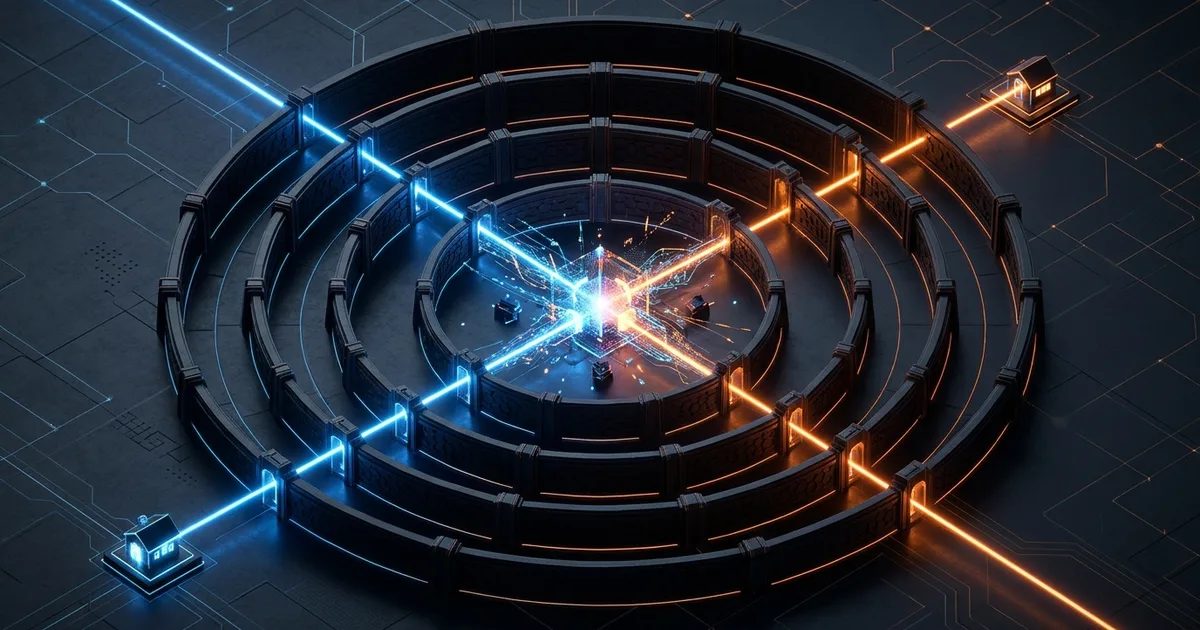
TL;DR (Direct Answer): You no longer need to poke risky holes in your home router to access your personal lab or smart devices remotely. Modern mesh networks use a clever technique called NAT hole punching to connect your phone and home computer directly, even behind restrictive cellular or apartment connections. This keeps your home invisible to automated internet scanners while giving you fast, encrypted access without paying for a static public IP.
The Fortress with No Doorbell: Why Port Forwarding Is Obsolete
Accessing your home network from the road used to mean port forwarding. You opened a specific door on your home router and told it to send incoming internet traffic straight to your personal server.
Today, that approach is broken. Most modern internet providers place customers behind Carrier-Grade Network Address Translation (CGNAT), a networking setup where your provider pools thousands of homes under a single public address. Because your home router shares this shared identity with your neighbors, it has no dedicated public IP address. In simple terms: your home router no longer has its own doorbell.
Even if your provider gives you a dedicated public IP, forwarding ports is like leaving your ground-floor window unlocked. Automated search bots like Shodan index every open port on the planet every few seconds. An open port acts as an invitation for password sprayers and software exploits.
[Internet / Botnet] ──X──> [Router Firewall (CGNAT / Closed Ports)] ──X──> [Home Lab]
                                 │
           (Inbound unsolicited traffic is instantly dropped)
How NAT Hole Punching Works Under the Hood
To connect without opening ports, we flip the process inside out using NAT hole punching.
Think of your router like a private office building with a strict security guard. If a stranger knocks from the outside, the guard turns them away. But if you walk out to the guard and say, "I just mailed a letter to Bob, and he will write back soon," the guard adds Bob to an internal list called a UDP state table. A UDP state table is a temporary memory sheet your router uses to remember outbound requests so it can route the reply back to you.
+-----------------------+              +-----------------------+
|  Your Phone (Remote)  |              |  Home Server / Lab    |
+-----------+-----------+              +-----------+-----------+
            |                                      |
            | 1. "Here is my external IP:Port"     | 1. "Here is my external IP:Port"
            v                                      v
      +--------------------------------------------------+
      |      Public STUN Server (Introducer / Mirror)    |
      +--------------------------------------------------+
            |                                      |
            | 2. "Talk to Home Lab at IP:Port"     | 2. "Talk to Phone at IP:Port"
            +-------------------\ /----------------+
                                 X
            +-------------------/ \----------------+
            |                                      |
            v                                      v
+-----------------------+  Direct P2P Encrypted    +-----------------------+
|  Your Phone (Remote)  |<========================>|  Home Server / Lab    |
+-----------------------+     (Firewalls tricked)  +-----------------------+
To coordinate this meeting, both devices briefly talk to a lightweight discovery helper called a STUN (Session Traversal Utilities for NAT) server. A STUN server is an internet mirror that tells your device its true public-facing IP address and port.
Once your phone and home server learn each other's public endpoints from the STUN server, they both send a message to each other simultaneously. Because both routers think their local machine started the conversation, both security guards open their doors. The packets cross in the middle, establishing a direct peer-to-peer connection.
This works reliably on standard "cone" firewalls. It only encounters friction on restrictive "symmetric" NAT firewalls, which randomize port numbers for every outgoing connection.
Battle of the Tunnels: Comparing Your Options
You have a few ways to link your remote devices back home. Here is how the most popular options compare for everyday use:
| Remote Access Method | Setup Difficulty | Latency & Speed | Privacy & Data Exposure | Bandwidth Limits |
|---|---|---|---|---|
| Port Forwarding + DDNS | Moderate | Fast (Direct) | Risky (Exposed to bots) | Uncapped |
| Cloudflare Tunnels | Easy | Medium (Proxied) | Third party decrypts traffic | Strict media caps |
| P2P Mesh (Tailscale/NetBird) | Very Easy | Fastest (Direct P2P) | Zero-trust, end-to-end encrypted | Uncapped |
Traditional port forwarding gives you direct speeds, but exposes your network to the public. Cloudflare Tunnels are simple to set up for basic web pages, but Cloudflare acts as an unencrypted middleman that decrypts your traffic at their edge.
Mesh overlay networks—powered by WireGuard—give you the best balance. WireGuard is a modern, lightweight cryptographic protocol that connects devices through secure tunnels. You can explore how these protocols process routing requests inside our AI Playground.
The 15-Minute DIY Superpower: Encrypted Mesh Overlays
Instead of routing traffic to individual apps, you can designate a single low-power device, such as a Raspberry Pi, as a subnet router. A subnet router is a gateway machine that securely forwards encrypted remote traffic to all other local devices on your home network.
[Phone / Laptop on Cellular]
          │
    (Encrypted Mesh Tunnel)
          │
          v
[Home Subnet Router (Raspberry Pi)]
          ├───> [TrueNAS Storage (192.168.1.50)]
          ├───> [Home Assistant Hub (192.168.1.60)]
          └───> [Desktop Workstation (192.168.1.70)]
Setting this up requires just one command on your home Linux device using a tool like Tailscale:
sudo tailscale up --advertise-routes=192.168.1.0/24
This command launches the mesh client and tells your private network that this machine can forward traffic to any local IP address in that range.
Once approved in your web admin panel, your phone can reach internal addresses like 192.168.1.50 while sitting on airport Wi-Fi, without changing any home router settings. You can analyze how these mesh routes behave across varying network conditions using our Interactive Engineering Simulations.
Pitfalls and Reality Checks: Relays, Media, and Rules
While modern mesh setups feel like magic, keep these edge cases in mind:
- Streaming Media Terms of Service: Routing high-bandwidth services like Plex or Jellyfin through free proxy services like Cloudflare Tunnels can violate their terms of service. Mesh overlays use your own upload bandwidth directly, avoiding proxy bans.
- The Symmetric NAT Trap: When both your mobile network and your home ISP use symmetric NAT, hole punching fails. In these cases, mesh tools automatically fall back to an encrypted relay server (called a DERP relay in Tailscale). While your data remains encrypted, speeds will decrease.
- Checking Direct Status: You can verify your connection speed on Linux or macOS by running
tailscale statusin your terminal. Look for the worddirectnext to your device instead ofrelay.
Emergency at 30,000 Feet: A Real-World Lifesaver
During a flight over the Midwest, a systems engineer connected his laptop to the airplane's satellite Wi-Fi. A push notification popped up: his home 3D printer's thermal runaway sensor had triggered, meaning the heating element was stuck on and running dangerously hot.
Because the airline Wi-Fi blocked non-standard ports and his home ISP used CGNAT, ordinary remote logins were impossible. However, his private mesh overlay was already active in the background.
His laptop connected over WireGuard directly to his home subnet router. He typed his smart plug's local IP address into his browser, cut the power, and prevented a workshop fire—all while sitting in row 14 at 30,000 feet.
Frequently Asked Questions (FAQ)
Does keeping a mesh VPN running drain my smartphone battery?
Modern mesh overlays like Tailscale or NetBird rely on WireGuard, which is designed for silence. Unlike older VPN protocols that continuously exchange chatty heartbeat pings with a central server, WireGuard stays completely dormant when no data is moving. It sends no background keep-alive packets unless you are actively accessing a remote service, resulting in negligible battery drain on modern iOS and Android devices.
Can I access my home lab over strict mobile cellular networks?
Yes. Most cellular carriers place smartphone connections behind strict Carrier-Grade NAT, making direct inbound connections impossible. However, mesh overlays bypass this by initiating outbound traffic from both ends to a coordinating STUN server. Once this handshake occurs, your cellular carrier treats the connection as a normal outbound data session, allowing seamless two-way encrypted traffic to pass back to your home lab without interruptions.
Are mesh overlays like Tailscale safe against security breaches?
Yes, mesh overlays follow a zero-trust model. The coordinator server only helps devices find each other; it never holds the private encryption keys, meaning it cannot decrypt your data. All traffic passing between your devices is encrypted end-to-end using WireGuard. Even if the provider’s infrastructure suffers an outage or breach, attackers cannot read your network traffic or tamper with your underlying home machines.
Can I build a private mesh without relying on a third-party coordinator?
Yes. If you prefer complete self-reliance, you can run an open-source coordinator called Headscale. Headscale is a lightweight, self-hosted implementation of the Tailscale control server that runs on your own virtual private server. It works seamlessly with official client apps, giving you full control over network maps, user authentication, and data logs without relying on any commercial cloud service or centralized infrastructure.
Why did my direct P2P connection switch to an encrypted relay?
A mesh network switches to a relay when a direct peer-to-peer handshake fails. This typically occurs when both devices are behind strict symmetric NAT firewalls, commonly found in corporate networks, universities, and some cellular providers. In these cases, the mesh falls back to an encrypted relay server to keep your connection working, trading raw connection speed for guaranteed access and uninterrupted connectivity.