 Nova System Engineer • • 1,296 words • 7 min read
How USB-C Charging Works: The Secret Power Negotiation Inside
How does USB-C Power Delivery work? Learn how chargers and devices negotiate voltage over the CC line, e-marker cables, PPS and 240W EPR, step by step.
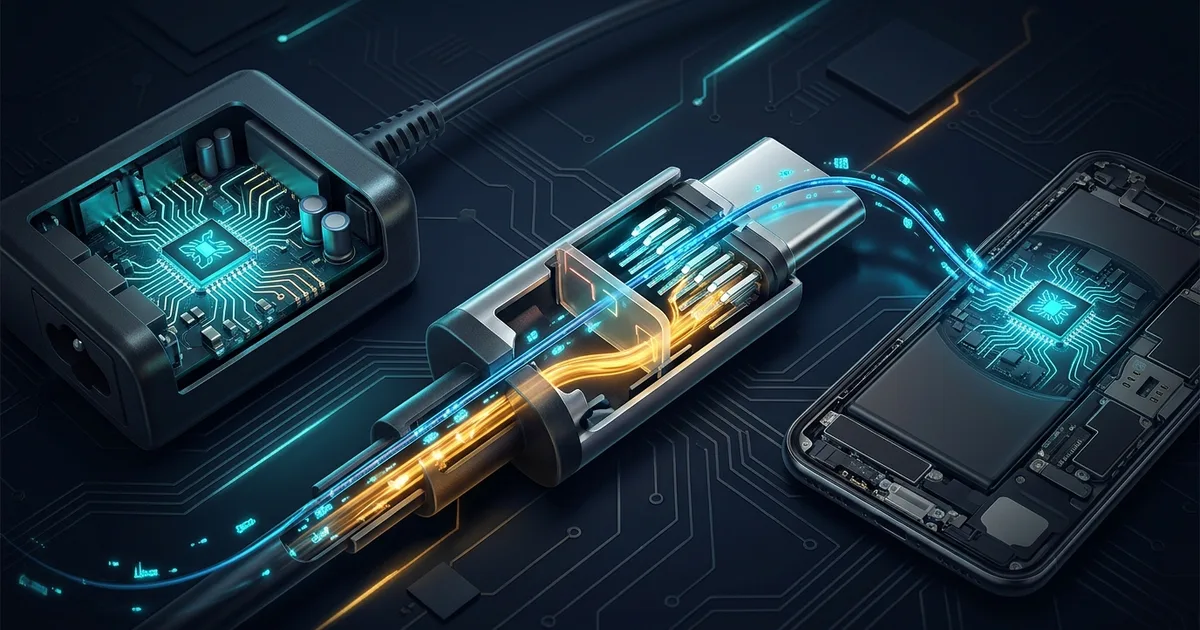
TL;DR (Direct Answer): USB-C charging is short conversation, not blind power dump. Charger offers list of voltages, device picks one, and charger confirms before raising power. This protocol, called USB Power Delivery, lets one cable charge earbuds at 5W and laptops at up to 240W. Knowing how it works helps you pick right charger and cable, and avoid cheap junk that can fry hardware.
Why One Cable Charges Both Earbuds and Laptops
Same USB-C cable charges earbuds at 5 watts and laptop at 100 watts. Wire does not know difference. Electronics on both ends do.
Think restaurant. Waiter brings menu: charger lists voltages it can deliver. Customer orders one dish: device requests voltage it can handle. Kitchen confirms before cooking: charger switches only after agreeing.
Why so polite? Laptop wants 20 volts. Earbuds expect 5. Push 20 volts into wrong device and order arrives as smoke. So charger never pushes high voltage blind. It waits for explicit request.
What this means for you: wattage printed on charger is only menu size. Real speed depends on three things. What charger offers, what device asks for, and what cable is allowed to carry. Cheap chargers and cables often lie about menu or skip confirmation. That is where damage happens. Want to see power flow animated? Try our Interactive Engineering Simulations.
How USB-C Power Negotiation Works, Step by Step
Steps 1–2: Safe Default and Resistor Handshake
Plug in. Only 5V allowed at first, called vSafe5V. Power stays off until charger detects real device.
USB-C has two Configuration Channel pins, CC1 and CC2, used for setup talk. Charger places pull-up resistor (Rp) on them. Device places pull-down resistor (Rd, 5.1kΩ) to ground. Resulting voltage reveals three facts: something attached, which way plug faces (only one CC pin sees Rd), and basic current on offer (default USB, 1.5A, or 3A), set by Rp value.
Steps 3–6: Menu, Order, Confirm
Smart chargers and devices carry PD controller chips, small chips that speak USB Power Delivery. They exchange messages over CC wire using BMC (Biphase Mark Coding, scheme that encodes bits as signal transitions, tough against noise) at about 300 kbps.
Charger sends Source_Capabilities, list of PDOs (Power Data Objects, each one voltage plus max current), such as 5V, 9V, 15V, 20V. Device sends Request for one. Charger replies Accept, ramps voltage, then sends PS_RDY ("power supply ready").
Step 7: Cable Checks In
Above 3A, cable must prove itself. 5A cables carry e-marker, tiny ID chip reporting cable rating. No e-marker, no 5A. Whole dance finishes under one second.
USB-C Fast Charging Standards Compared
Before USB PD, every brand cooked own recipe. Older phones used USB BC 1.2 (Battery Charging spec), dumb scheme signaling through data pins. Qualcomm Quick Charge went proprietary, signaling voltage by shifting D+/D- data-pin levels.
USB PD now rules. PPS (Programmable Power Supply) works like dimmer instead of light switch: phone dials voltage from 3.3V to 21V in 20mV steps, asking for exactly what battery needs. Conversion heat moves out of phone into charger. Samsung "Super Fast Charging" requires it. EPR (Extended Power Range, PD 3.1) adds 28V, 36V, and 48V for big laptops.
| Standard | Max power | Heat in device | Works with | Cable needed |
|---|---|---|---|---|
| USB BC 1.2 | 7.5W (5V × 1.5A) | Low, but slow | Almost everything | Any |
| Qualcomm Quick Charge | 18–27W common | Medium | Mostly Snapdragon phones | Usually any |
| USB PD fixed (SPR) | 100W (20V × 5A) | Medium | Phones, tablets, laptops | 5A e-marked above 60W |
| USB PD PPS | 25–45W typical for phones | Lowest, most efficient | Samsung, Pixel, many Android | 5A cable for Samsung 45W |
| USB PD 3.1 EPR | 240W (48V × 5A) | Managed by laptop | High-power laptops, new gear | EPR-rated 50V/5A cable |
What this means for you: buy USB PD charger with PPS. It covers nearly every modern device.
Watching the Negotiation Live
Here is full conversation between charger and laptop:
  CHARGER (Source)                       DEVICE (Sink)
       |                                      |
       |---- 5V only (vSafe5V) -------------->|
       |---- Source_Capabilities ------------>|  menu: 5V, 9V, 15V, 20V
       |<--- Request (20V, 3A) ---------------|  order: 20V please
       |---- Accept ------------------------->|  order confirmed
       |      ...voltage ramps 5V to 20V...   |
       |---- PS_RDY ------------------------->|  food served
       |==== 20V x 3A = 60W ==================>|
Diagram shows message order; each message also gets tiny GoodCRC reply meaning "received intact", omitted for clarity.
On Linux, kernel exposes this live. ls /sys/class/typec/ lists USB-C ports. cat /sys/class/typec/port0/power_role prints source [sink], brackets marking current role. Newer kernels add /sys/class/usb_power_delivery/, where you can browse PDOs charger offered. cat /sys/class/power_supply/*/voltage_now prints voltages in microvolts, so 20000000 means 20V. Battery entries show battery voltage, so look for USB or UCSI entries.
No Linux? Buy ~$15 USB-C power meter. It sits between charger and cable, showing volts, amps, and whether PD or PPS is active. Best cheap tool for catching lying chargers and weak cables.
Common USB-C Charging Myths and Mistakes
Myth: Bigger-Watt Charger Burns Phone
False. Device only takes what it requests. 140W laptop charger hands phone 9V if phone orders 9V.
Myth: All USB-C Cables Are Same
False. Cables differ in power (3A vs 5A e-marked) and data speed (USB 2.0 at 480 Mbps vs 40 Gbps). Identical plugs, very different insides.
Myth: Fast Charging Kills Battery
Mostly false. Phone BMS (Battery Management System, chip guarding battery) throttles speed above roughly 80%. Real enemy is heat, not speed.
Mistake: Cheap USB-A to USB-C Cables
These cables must contain 56kΩ resistor telling phone "old USB port, draw gently." Bad cables used wrong value, advertising 3A from port built for 0.5A. Port or charger overheats.
Mistake: Blaming Laptop Port
Laptop charging slowly rarely means broken port. Usually 60W cable limits 100W charger, or charger fell back to 5V only.
Real-World Failures: When Cables Lied
In 2015 and 2016, Google engineer Benson Leung started testing USB-C cables sold on Amazon. Many carried wrong resistors, telling devices to draw more current than source could safely give. One cable, wired incorrectly, fried his Chromebook Pixel and two USB PD analyzers on spot. His reviews pushed Amazon to ban non-compliant USB-C cables.
In 2018, Nintendo Switch owners using third-party docks, Nyko among them, reported bricked consoles after system update. Dock and console mis-negotiated power, and wrong voltage reached hardware. Nintendo's own non-standard PD handling made things worse.
Lesson: USB-C cable is not passive wire. It is part of protocol. Resistors and e-marker chips inside cable speak during negotiation, and lie means damage. Spec exists because cheap shortcuts hurt real hardware.
What this means for you: buy certified cables from known brands, check USB-IF logos, and treat no-name docks with suspicion. Explore more hardware deep dives in our AI Playground.
Frequently Asked Questions (FAQ)
Can I charge my phone with a laptop charger?
Yes. USB Power Delivery negotiates voltage before sending power. Laptop charger offers its full menu, such as 5V, 9V, 15V, and 20V, and phone requests only what it supports, often 9V or PPS voltage. Charger cannot force higher voltage on device that never asked. Result: safe charging, often at phone's top speed. Only risk is fake or non-compliant charger ignoring spec, so stick with reputable brands and certified gear.
Why does my laptop say "slow charger connected"?
Charger's offer list does not match what laptop wants. Most laptops expect 20V at enough current, typically 45W to 100W. If charger tops out at 15V, or offers too few watts, laptop accepts lower power and warns you. Weak cable causes same symptom: 3A cable caps power at 60W even with 100W charger. Check charger label for 20