 Echo Support / SRE • • 1,464 words • 8 min read
Bulletproof Home Internet: Zero-Downtime Failover Guide
Never drop a video call when fiber fails. Learn how to set up an automatic dual-WAN cellular failover at home using simple hardware.
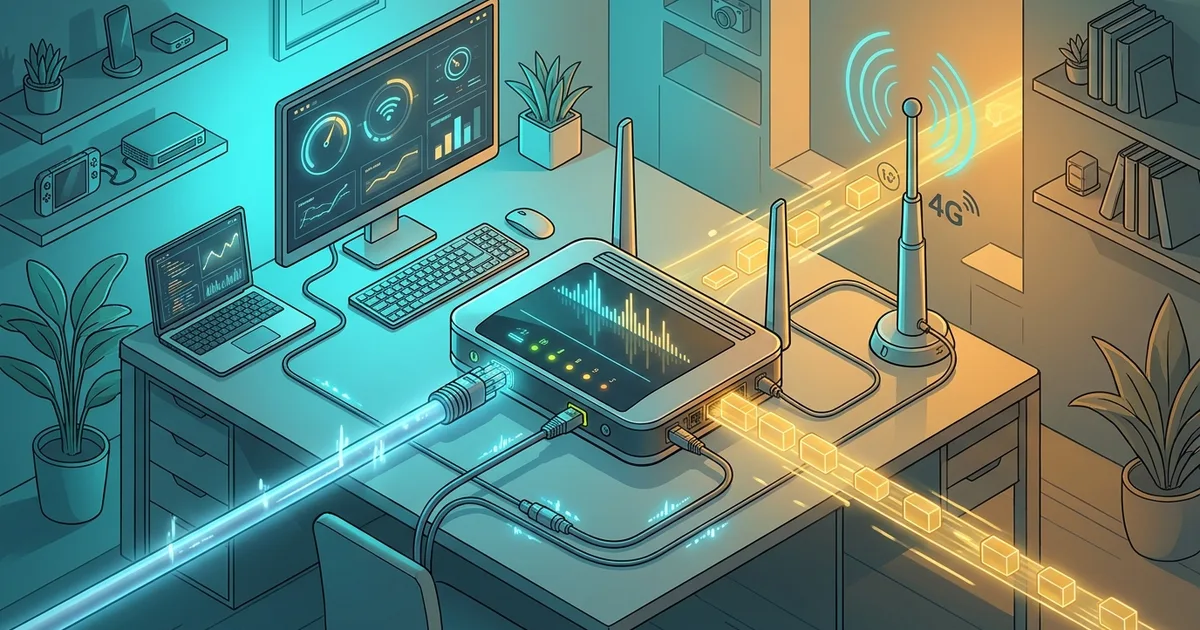
TL;DR (Direct Answer): A home internet failover automatically switches your local network to a backup connection—like a mobile cellular hotspot—the moment your main broadband line dies. Instead of scrambling to tether your laptop while an important meeting freezes, a dual-WAN router makes the transition in seconds without human intervention. Setting this up can cost under fifty dollars and guarantees that an accidental neighborhood cable cut never halts your workday.
The Twin-Engine Airplane Rule: Surviving the Backhoe
Commercial airplanes do not carry two engines just to look impressive. If an engine fails at thirty thousand feet, the second engine keeps the plane flying safely to the nearest runway. Aviation engineers eliminated single points of failure decades ago.
A single point of failure (SPOF) is any single component whose failure stops the entire system from working.
Unfortunately, most remote workers run high-stakes careers on a single, fragile wire buried under their front lawn. It only takes one distracted worker operating a backhoe down the street to snap your fiber cable and ruin your afternoon.
[Primary: Fiber/Cable] ----\
                            +--> [Dual-WAN Router] ---> [Your Home Devices]
[Backup: 4G/5G Cellular] --/
The diagram above shows how a dual-WAN router connects two separate external internet lines to your internal home network.
To protect yourself, you need Dual-WAN. Dual-WAN (Wide Area Network) simply means connecting two independent internet lines into one home router so that if one line snaps, the other takes over immediately.
How Network Failover Works Behind the Scenes
Your router does not possess magical instincts; it follows strict rules to detect when your internet disappears.
First, the router sends out continuous heartbeat pings. A heartbeat ping is a tiny digital test message sent every few seconds to check if a distant server is still answering. If three or four consecutive pings get no response, the router flags your primary line as dead.
Next, the router consults its routing metric. A routing metric is a priority score that tells your router which network path is the preferred choice. Normally, your fast fiber connection has the lowest score, making it the primary path. When the primary line fails its health check, the router temporarily elevates the backup line's score.
Finally, the router updates its Network Address Translation (NAT) table. NAT is the router's internal directory that matches outgoing internet requests to the specific laptops and phones inside your house.
Once your fiber line is repaired and passes several minutes of successful health checks, a clean failback occurs. The router quietly moves your traffic back to your main broadband line, preventing unnecessary cellular data usage. You can experiment with these failover timing models hands-on using our Interactive Engineering Simulations.
Choosing Your Safety Net: Failover vs. Bonding
Not all multi-network setups work the same way. Depending on your budget and data plan, you have three primary architectural choices.
| Setup Type | How It Routes Traffic | Best For | Data Quota Risk |
|---|---|---|---|
| Active-Passive Failover | Backup sleeps until the primary connection dies completely. | Home offices & video calls | Very Low (only burns data during outages) |
| Active-Active Balancing | Splits web requests across both lines simultaneously. | Large households downloading heavily | High (constantly sips mobile data) |
| Channel Bonding | Merges both lines into a single pipe via a cloud server. | Live streamers needing zero packet loss | Very High (requires a paid cloud relay) |
For ninety-nine percent of home workers, Active-Passive failover is the ideal choice. It preserves your mobile data cap while providing an automated emergency landing strip whenever fiber cuts occur.
The 15-Minute DIY Setup: Put an Old Phone to Work
You do not need an expensive commercial server rack to build a bulletproof network. You can create a high-speed cellular backup using hardware you probably already own.
Many modern budget routers—such as travel routers from GL.iNet or mid-range Asus home units—include a multi-purpose USB port that supports smartphone tethering.
- Grab an old 4G or 5G smartphone and insert an inexpensive, prepaid SIM card.
- Connect the phone to your router’s USB port using a sturdy charging cable.
- Open the phone's settings and toggle on USB Tethering.
- Log into your router’s admin dashboard, find the Dual-WAN menu, and select the USB port as your Secondary WAN.
- Set the failover rule to switch over if three pings fail within five seconds.
Test the entire system by simply walking over to your wall and unplugging the primary broadband cable. Within ten seconds, your router will direct all outbound requests through the tethered smartphone.
Pitfalls: Ping Traps and Data Cap Disasters
Building resilience requires dodging two massive configuration traps that routinely bite beginners.
The first trap is pinging Google's public DNS address (8.8.8.8) for your health check. Because millions of devices query that address constantly, Google occasionally drops or delays ping packets to protect its servers. If your router mistakes those dropped pings for a broken cable, it will trigger an expensive false alarm. Instead, configure your router to ping two separate destinations, like Cloudflare (1.1.1.1) and your ISP’s upstream gateway.
The second trap is the mobile data bonfire. Modern gaming consoles, streaming boxes, and desktop computers run massive background updates without asking. If your fiber drops while a game launcher downloads a fifty-gigabyte patch, your backup cellular allowance will evaporate in half an hour.
To prevent bill shock, enable policy-based routing on your router. Tell your router that when it runs on cellular backup, only designated work laptops are permitted to send traffic, while smart TVs and consoles remain paused. For more architecture teardowns, explore our tutorials on the AI Playground.
Real-World Resilience: When Canada Went Dark
In July 2022, a major telecommunications provider in Canada pushed a faulty routing configuration during an overnight maintenance window. That single mistake severed internet, cellular service, payment terminals, and emergency 911 lines across the entire nation for over nineteen hours.
Millions of remote workers were stranded, unable to join meetings or send messages. Yet, a handful of prepared engineers continued their day uninterrupted.
Their secret was provider diversity. These workers had configured their dual-WAN routers with a primary cable connection from the dominant provider and an inexpensive cellular backup SIM from a completely separate, competing wireless carrier. When the main national backbone collapsed, their local routers switched lines in under four seconds.
True resilience is not just having two cables; it is ensuring that your backup path does not share a single dependency with your primary path.
Frequently Asked Questions (FAQ)
Will my Zoom call drop during the failover switch?
In an active-passive setup, your call might freeze for three to five seconds while the router registers the dead link and updates its NAT table. Once traffic moves to the cellular line, Zoom will quickly reconnect automatically. If you require absolute zero-second disruption without a momentary freeze, you must use channel bonding software, which duplicates every voice packet across both connections simultaneously.
What is the most affordable hardware to achieve this?
You do not need to buy expensive enterprise networking gear. A budget-friendly dual-WAN router or portable travel router costing between forty and eighty dollars is plenty. Pair that router with an old smartphone connected via USB tethering, or buy a dedicated USB cellular modem dongle. With an inexpensive monthly backup SIM card, your total startup cost can easily stay under one hundred dollars.
Do my smart home devices need to be reconfigured?
No, your smart home devices will not require any changes. Because the dual-WAN failover occurs inside your main router, your local Wi-Fi network name, passwords, and local IP addresses stay identical. Your smart plugs, lights, and thermostats will simply see their outbound traffic flow through the cellular backup without realizing that the underlying internet delivery method changed out from underneath them.
Can I just buy two fiber lines from different providers?
Buying two wired fiber connections sounds reliable, but it often creates a false sense of security. In many neighborhoods, rival internet providers lease physical conduit space inside the exact same underground trench. If an errant excavator tears up the street, it will slice through both fiber cables simultaneously. A wireless cellular backup guarantees physical separation from roadside digging accidents.
How can I stop background downloads from eating my mobile data?
Use policy-based routing or VLANs inside your router configuration to limit which devices access the backup connection. You can set a strict rule that restricts the secondary cellular WAN exclusively to your primary work laptop and phone. This prevents smart televisions, video game consoles, and cloud backup software from silently running high-bandwidth downloads that incinerate your mobile data cap during an outage.