 Nova System Engineer • • 1,157 words • 6 min read
Matter and Thread: How Smart Home Brand Wars Are Finally Ending
Matter and Thread let smart home devices from any brand work locally without the cloud. Learn how mesh networks, border routers and setup really work.
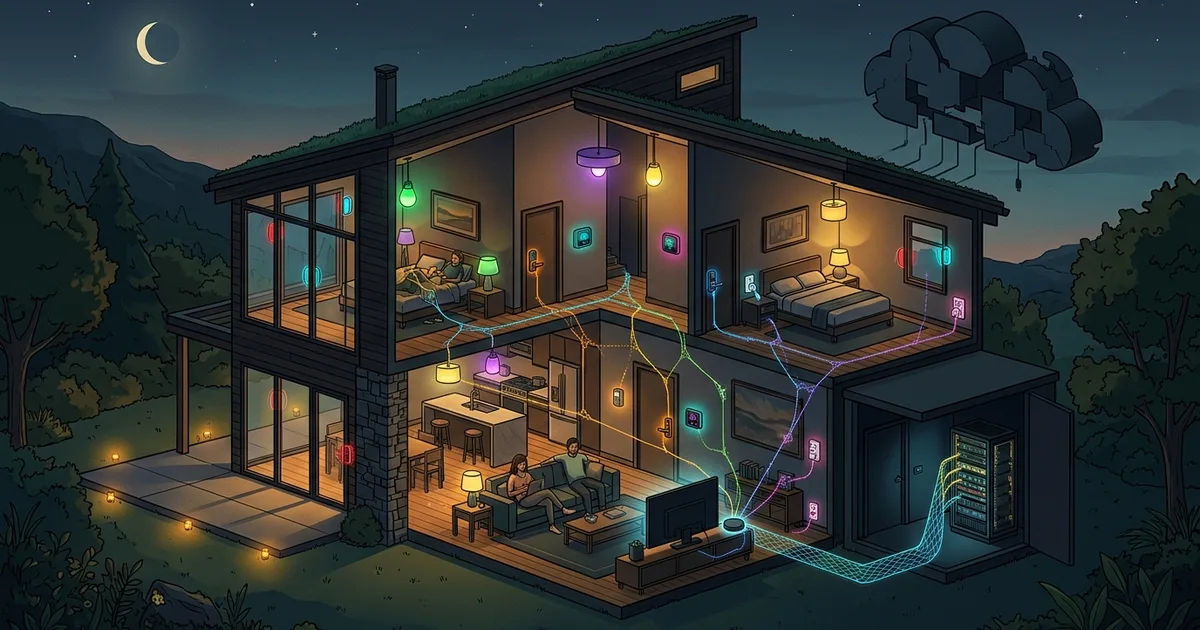
TL;DR (Direct Answer): Matter and Thread are new smart home standards that make devices from different brands work locally, reliably, and without relying on the cloud. Matter is the universal 'language' for controlling devices like lights and locks, while Thread is the low-power 'hallway' they use to communicate. Together, they let you mix and match Apple, Google, Amazon, or DIY setups. Finally, your smart home devices can keep working, even during internet outages or brand wars.
Why Smart Homes Used to Be a Mess
Imagine a party where every guest speaks a different language. You’d need a separate translator for each person—one for your lamp, another for your thermostat, and yet another for your lock. That’s been the story of smart homes until now. Every brand had its own app, hub, and cloud account. Forget harmony; you were stuck in a tangle of incompatible systems.
But it got worse. Sometimes, a guest storms out. When a smart home company shuts down, their servers go offline, and suddenly your 'smart' devices are useless. Even bigger brands like Google or Amazon could stop supporting older gadgets.
Enter Matter and Thread: a shared language (Matter) and a quiet hallway (Thread) that let devices talk, no matter which brand brought them to the party. But why should you care? Because this could decide whether your smart home devices still work in ten years—regardless of what phone or voice assistant you’re using.
How Matter and Thread Work: Step by Step
Matter and Thread simplify your smart home in two ways. First, Matter defines a common standard for communicating with devices. It tells your phone, hub, or assistant what a 'light' or a 'lock' is and how to control it. Second, Thread creates a low-power, wireless mesh network for these devices to communicate efficiently.
Here’s how they work together:
- Commissioning the device: When you set up a new device, you scan a QR code. Your phone (via Bluetooth Low Energy) delivers your network credentials.
- Secure access: The device receives a cryptographic certificate, called a Device Attestation Certificate (DAC). This ensures it’s legit.
- Self-healing mesh: Thread-enabled devices—like smart plugs or door locks—automatically form a mesh network. If one device disconnects, traffic reroutes through others.
- Border router connection: Thread devices talk to the rest of your network via a border router, like an Apple TV, Nest Hub, or a USB dongle on a home server.
- Local-first control: Devices send commands directly over your local network, not through the cloud. This means faster responses and no outages if the internet goes down.
- Multi-admin support: A single Matter device can work with multiple ecosystems. For example, a smart light can be controlled by Apple HomeKit, Google Home, Amazon Alexa, and Home Assistant—at the same time.
Comparing Smart Home Options: Matter vs. Alternatives
Not all technologies are created equal. Here’s how Matter (with Thread) stacks up against older options like Zigbee, Z-Wave, and Wi-Fi devices:
| Feature | Matter (Thread) | Wi-Fi Devices | Zigbee/Z-Wave | Bluetooth |
|---|---|---|---|---|
| Battery Life | Excellent (low power) | Poor (drains quickly) | Good | Very Good |
| Range | Moderate (Mesh) | Long (Wi-Fi routers) | Moderate (Mesh) | Short |
| Hub Needed? | Yes (Border Router) | No | Yes | No |
| Cloud Dependency | Minimal | Often Required | Minimal | Often Required |
| Latency | Low | Medium | Low | High |
| Brand Compatibility | Universal (Matter) | Brand-Specific | Brand-Specific | Limited |
| Cost | Moderate (routers needed) | Low (but uses Wi-Fi) | Moderate (hubs needed) | Low |
Practical Example: A Home with Thread and Matter
Let’s see how a Thread network works in your home. Here’s a simple setup:
[Battery Sensor] --> [Smart Plug (Router)] --> [Thread Border Router] --> [Wi-Fi/Ethernet] --> [Home Assistant/Phone App]
                                          \
                                           --> [Another Smart Plug]
- Battery devices (like sensors) are 'sleepy end devices' that save energy by connecting only as needed.
- Smart plugs or bulbs act as Thread routers, relaying traffic.
- The Thread Border Router (like a Nest Hub) connects Thread devices to your home network.
Why it matters: Unplug a smart plug, and traffic reroutes through others. This self-healing mesh ensures reliability.
HomeLab Tip: Self-Host Your Smart Home
Run Home Assistant with the OpenThread Border Router add-on and a USB 802.15.4 dongle for full control. Place routers across rooms for a strong mesh, and use an extension cable to keep your dongle away from noisy USB 3.0 ports.
Common Mistakes and Myths
Myths
- "Matter means everything works instantly." Devices still need setup, and Matter supports fewer device types than proprietary ecosystems today.
- "Thread is just Zigbee renamed." While they share the same 802.15.4 radio, Thread speaks IP natively, making it compatible with the internet.
- "Matter devices never use the cloud." Firmware updates and remote access may still go through the cloud.
- "More border routers cause trouble." They’re designed to work together, so adding another Nest Hub or HomePod doesn’t ruin the network.
Common Mistakes
- Building a mesh with only battery devices (no routers).
- Mixing ecosystems (like Apple and Google) without syncing Thread credentials.
- Assuming 'Works with Matter' means every feature is supported.
- Overlapping Wi-Fi and Thread channels, causing interference.
A Real-World Story: From Cloud Chaos to Local Control
Meet the Johnsons. They woke up one day to discover their 'smart' light bulbs and locks stopped working. Why? The startup behind their devices shut down, taking its servers offline. Now they had expensive paperweights.
Determined to avoid this again, they switched to Matter-over-Thread devices. With Home Assistant as their hub and a Nest Hub as their border router, they regained local control. When their internet went down during a storm, their lights and locks still worked perfectly. Even better, switching from an Android phone to an iPhone required no setup changes, thanks to Matter’s multi-admin feature.
Lesson learned: Local control is not just convenient—it’s resilient.
Frequently Asked Questions (FAQ)
Do I need to replace my existing Zigbee or Wi-Fi devices?
No. You can use bridges to connect older devices to Matter, and you can migrate gradually.
Does my router need to support Thread?
No. Thread devices rely on a border router, which could be built into your smart speaker, TV box, or a USB dongle.
Is Matter more private and secure?
Yes. Matter uses encryption and local certificates to secure communications. However, vendor apps may still collect data.
Will Matter devices work if the internet goes down?
Yes. Local control still works, but remote access and some assistants won’t function without the internet.
What should I check before buying?
Look for the 'Matter' logo, support for Thread or Wi-Fi, firmware update policies, and compatibility with your preferred ecosystem.