 Nova System Engineer • • 1,367 words • 7 min read
Login Passwords Fail: Full Disk Encryption & TPM 2.0 Guide
OS login passwords leave raw SSD data exposed. Lock laptops and USB drives at zero speed cost using TPM 2.0, AES-NI silicon, and native encryption.
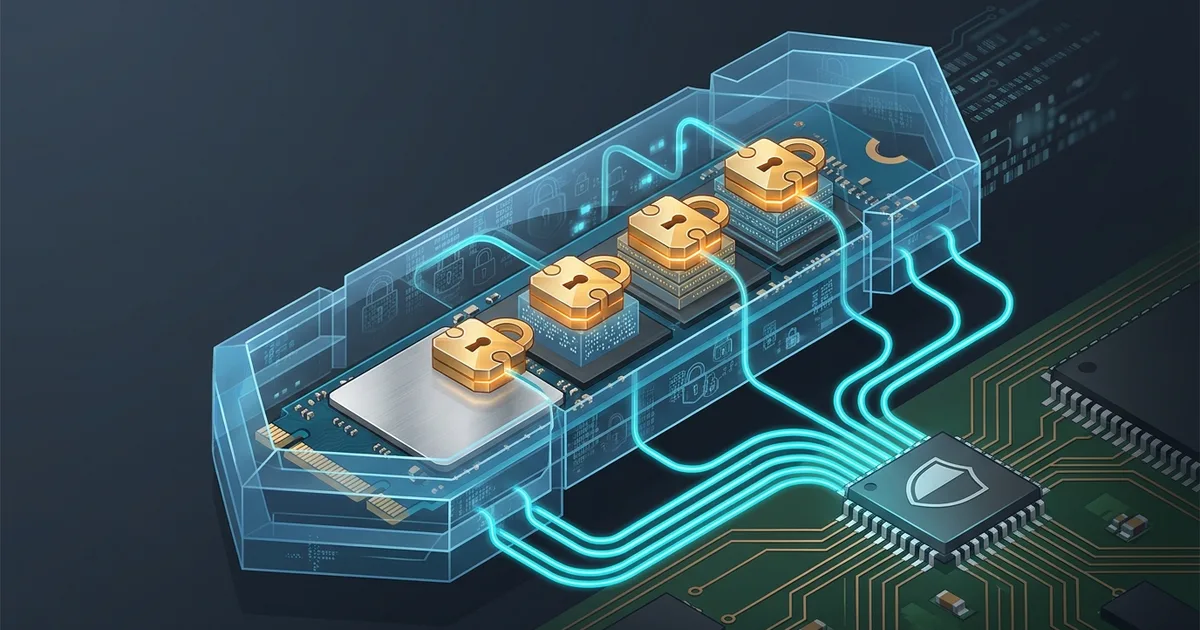
TL;DR (Direct Answer): Operating system login passwords guard desktop interface, not raw storage chips. Anyone with small screwdriver extracts drive, attaches external USB enclosure, reads private files instantly. Full disk encryption scrambles every sector using processor crypto silicon, while TPM hardware validates system firmware before releasing decryption key. Drive stays locked without valid credentials, keeping personal data safe during theft or loss.
OS Login Passwords Do Not Protect Raw SSD Data
Analogy: standard login screen acts like locked front door on house with missing back wall. Lock stops casual walk-ins through front hall, but perimeter remains open.
Desktop login passwords work identical way. Password gates graphical user interface session. Kernel enforces user permissions while operating system runs.
Pull power plug, software security collapses completely. Storage drives hold raw unencrypted bits inside flash memory cells.
Thief removes laptop bottom panel, extracts NVMe drive, connects hardware to secondary computer via USB enclosure.
Secondary operating system mounts raw partition directly. Secondary machine ignores original access controls, displaying photos, documents, browser sessions, private keys immediately.
Full disk encryption solves vulnerability. Encryption mathematically scrambles every storage block prior to flash write. Drive detached from trusted machine presents pure random noise to outside readers.
Hardware Mechanics: XTS-AES-256 and TPM 2.0 Integration
Disk encryption relies on symmetric cipher: XTS-AES-256. Drive splits flash storage into sectors, typically 512 bytes or 4096 bytes wide. Cipher scrambles each sector uniquely using master storage key.
Processor handles math through dedicated silicon instructions: AES-NI (Advanced Encryption Standard New Instructions). Modern CPUs encrypt multi-gigabyte data streams at wire speed. Read-write throughput shows zero human-detectable speed drop.
TPM 2.0 (Trusted Platform Module) acts as dedicated crypto microcontroller soldered to motherboard. Chip holds cryptographic keys inside tamper-resistant silicon vault.
Boot process binds TPM to firmware state. Chip measures UEFI code, partition table layout, bootloader binary into Platform Configuration Registers (PCR).
Unmodified system boots cleanly, PCR values match stored baseline, TPM unseals drive master key into volatile memory. Tampered bootloader alters PCR hash; TPM detects modification, locks key inside silicon vault.
Explore underlying hardware states on Interactive Engineering Simulations.
Native Storage Encryption Compared: Zero Bloat
Native operating system tools provide cleanest integration. Native software hooks directly into kernel storage stack, binds cleanly with motherboard TPM chips. Zero background software installs needed.
Windows uses BitLocker. macOS uses FileVault. Linux uses LUKS2 (Linux Unified Key Setup version 2) paired with systemd-cryptenroll. Third-party disk tools risk kernel panics during major OS updates.
Hardware Self-Encrypting Drives (SED) with OPAL standard handle encryption inside SSD controller chip. SED offloads math from CPU, but historical security audits revealed closed-source firmware vulnerabilities. Native software encryption remains safer standard.
Cross-platform removable flash media requires portable container tools like VeraCrypt. Tool creates encrypted filesystems readable across Windows, macOS, Linux without vendor lock-in.
| Tool | Native Platform | Key Storage | Target Media |
|---|---|---|---|
| BitLocker | Windows 10/11 Pro | TPM 2.0 Chip | Internal system drive |
| FileVault | macOS | Secure Enclave | Internal Mac storage |
| LUKS2 | Linux | TPM 2.0 / Passphrase | Linux laptops & servers |
| VeraCrypt | Cross-Platform | Keyfile / Passphrase | External USB flash media |
| OPAL SED | Hardware Controller | Drive Microcode | Specialized enterprise rigs |
Practical Checks and Native Verification Commands
+-------------------+       +--------------------+
|  UEFI Firmware    | ----> | TPM 2.0 Chip       |
|  Measures Hashes  |       | Validates PCRs     |
+-------------------+       +--------------------+
                                      |
                                Key Unsealed
                                      v
+-------------------+       +--------------------+
| CPU (AES-NI)      | <==== | OS Kernel Memory   |
| Wire-Speed Cipher |       | Secure Master Key  |
+-------------------+       +--------------------+
          |
          v
+-------------------+
| NVMe Flash Blocks |
| Scrambled Sectors |
+-------------------+
Diagram shows how hardware boot verification unseals master keys into processor crypto silicon before storage blocks become readable.
Check current encryption status using native terminal commands.
Windows Command Prompt:
manage-bde -status
macOS Terminal:
fdesetup status
Linux block encryption and TPM status:
lsblk -f
systemd-cryptenroll --tpm2-device=list
Commands reveal active cipher, volume lock state, TPM hardware presence without altering storage sectors.
Security Warning: Always store your recovery key offline on paper or in an external password manager before turning on full disk encryption, because a failed motherboard without that recovery key results in permanent, irreversible data loss.
Myths and Common Encryption Mistakes
Myth 1: Login Password or Biometrics Encrypts Drive
False. Login passwords and fingerprints gate desktop user session only. Drive holds raw data until full disk encryption runs underneath.
Myth 2: Disk Encryption Slows Gaming and NVMe Speed
False. Dedicated CPU AES-NI instructions execute cryptographic math at multi-gigabyte bus speeds. Gamers and developers notice zero frame drops or compilation delays.
Myth 3: TPM Auto-Unlock Defeats Physical Probing
False. Direct bus-sniffing attacks attach hardware probes to motherboard traces, capturing master keys during boot. Pre-boot PIN requirement stops TPM key release until user types secret PIN on keyboard.
Critical Mistake: Saving Recovery Key Inside Encrypted Drive
Users frequently store recovery text file inside personal Downloads folder on encrypted volume. Motherboard failure locks drive; user cannot access recovery key needed to restore data. Keep recovery key written on paper or inside external password manager.
Real-World Impact: Clinic Laptop Versus Developer Laptop
Medical clinic administrator leaves unencrypted laptop inside car. Thief smashes window, steals hardware, removes SATA SSD. Thief attaches drive to cheap USB adapter, dumps thousands of raw patient records, sells identities online; clinic suffers crippling regulatory fines.
Software developer loses LUKS2 encrypted laptop in airport terminal. Thief boots device; TPM refuses key release due to missing pre-boot PIN. Developer opens smartphone, revokes cloud authentication tokens, orders replacement hardware. Thief holds useless paperweight; developer leaks zero private bytes.
Explore live defensive security tooling inside AI Playground.
Frequently Asked Questions (FAQ)
Does Windows 11 Home include device encryption without Pro upgrade?
Windows 11 Home includes automated Device Encryption feature when hardware meets OEM requirements. Machine requires UEFI boot, TPM 2.0 chip, Modern Standby support enabled by manufacturer. Feature turns on automatically during setup when signing into Microsoft account, which backs up recovery key to Microsoft cloud servers. Users wanting offline local accounts or custom pre-boot PIN configurations still need Windows Pro upgrade for BitLocker management access.
How do I recover SSD files if laptop motherboard dies?
Motherboard failure renders internal TPM inaccessible, preventing automatic hardware key unseal. Recovery requires pulling physical SSD, placing drive into USB enclosure, connecting drive to working computer. Operating system prompts for numeric recovery key immediately upon mounting raw drive volume. Entering printed or password-manager-stored forty-eight-digit key restores complete read access to filesystem. Without offline recovery key, data remains permanently locked inside encrypted NAND blocks forever.
Should external USB backup drives use full disk encryption?
External USB backup drives require full disk encryption unconditionally. Portable drives leave home environments frequently, facing elevated theft or loss risks in transit. Unencrypted backup drives expose identical system data, snapshots, documents found on internal drives. Native utilities like BitLocker To Go on Windows, encrypted APFS on macOS, or cross-platform tools like VeraCrypt secure portable media. Encrypted backup volumes guarantee physical loss means lost hardware value only, never confidential data breach.
Does encryption shorten NVMe SSD lifespan via extra writes?
Full disk encryption does not shorten NVMe SSD lifespan through extra write cycles. Encryption alters byte values inside RAM buffers before storage controller commits data to flash cells. Flash controller writes identical quantity of bytes regardless of plain text or ciphertext content. Modern SSD wear leveling operates normally, distributing encrypted sector writes across flash blocks evenly. Drive endurance metrics like Terabytes Written remain identical between encrypted and unencrypted configurations under normal workloads.
When does laptop threat model require TPM plus pre-boot PIN?
Standard TPM auto-unlock exposes systems to cold-boot memory dumps and bus-interception attacks where hardware sniffers read master keys directly off motherboard traces during boot. Threat models involving corporate espionage, border crossing checks, physical theft by sophisticated actors require pre-boot PIN. Configuring pre-boot authentication stops TPM from releasing cryptographic master keys until user enters memorized numeric passphrase on physical keyboard. Without correct PIN, storage sectors remain impenetrable scrambled ciphertext during transit.